
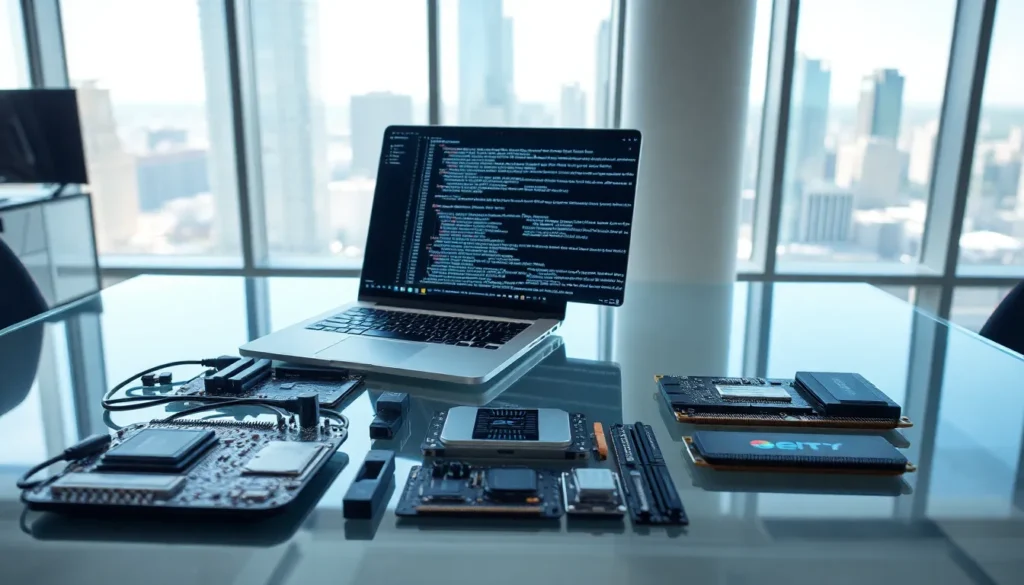

Software vs. hardware, it’s a distinction every tech user encounters, yet many struggle to explain it clearly. One you can touch. The other exists only as code. Together, they make every digital device function.
Understanding the difference between software and hardware matters for practical reasons. It helps when troubleshooting problems, making purchasing decisions, or simply grasping how technology works. This guide breaks down what software and hardware are, how they differ, and why neither can function without the other.
Table of Contents
ToggleKey Takeaways
- Software vs. hardware comes down to one key distinction: software is intangible code that provides instructions, while hardware is the physical components you can touch.
- Hardware degrades over time and requires physical replacement, whereas software can be updated remotely without wear.
- Neither software nor hardware can function alone—they work together through layers of interaction to perform every digital task.
- Common hardware includes the CPU, RAM, storage drives, and input/output devices; software includes operating systems, applications, and utilities.
- When troubleshooting or upgrading your device, consider both software and hardware together since new software may demand more from aging hardware.
What Is Software?
Software refers to the programs, applications, and operating systems that run on a computer or device. It consists of code, instructions written by developers that tell hardware what to do.
Think of software as the brain of a computer. Without it, hardware would just sit there, unable to perform any tasks. Software transforms raw processing power into useful functions like browsing the web, editing documents, or playing games.
Types of Software
Software falls into several categories:
- System software: This includes operating systems like Windows, macOS, and Linux. System software manages hardware resources and provides a platform for other programs to run.
- Application software: These are the programs users interact with directly, web browsers, word processors, photo editors, and games.
- Utility software: Tools like antivirus programs, file managers, and backup software help maintain and optimize system performance.
Software can be updated, modified, or deleted without physically touching the device. A developer can push a patch, and suddenly your application works differently. This flexibility sets software apart from its physical counterpart.
What Is Hardware?
Hardware encompasses all the physical components of a computer or electronic device. If you can touch it, it’s hardware.
The keyboard, mouse, monitor, hard drive, processor, and motherboard, all hardware. Even the cables connecting your devices qualify as hardware. These tangible parts provide the structure that software needs to operate.
Common Hardware Components
Most computing devices contain these essential hardware components:
- Central Processing Unit (CPU): The processor executes software instructions and performs calculations.
- Random Access Memory (RAM): Temporary storage that holds data for active programs.
- Storage devices: Hard drives (HDD) and solid-state drives (SSD) store software, files, and the operating system permanently.
- Motherboard: The main circuit board that connects all hardware components.
- Input devices: Keyboards, mice, touchscreens, and microphones allow users to interact with the system.
- Output devices: Monitors, speakers, and printers display or produce results.
Unlike software, hardware degrades over time. Components can fail, overheat, or become obsolete. Replacing hardware often requires purchasing new physical parts and installing them manually.
Core Differences Between Software and Hardware
The software vs. hardware distinction becomes clearer when you examine their fundamental characteristics.
Physical vs. Intangible
Hardware exists as physical objects. You can hold a graphics card or replace a broken screen. Software, but, exists only as digital code stored on hardware. You can’t pick up an operating system or weigh an application.
Durability and Lifespan
Hardware wears out. A hard drive might last five years before failing. A processor can overheat and burn out. Software doesn’t degrade in the same way, it remains functional unless bugs appear or compatibility issues arise with newer systems.
Cost and Replacement
Replacing hardware typically costs more than updating software. A new graphics card might run several hundred dollars. Meanwhile, software updates often come free, and even purchasing new applications costs less than physical components.
Flexibility
Software offers greater flexibility. Developers can release updates, patches, and entirely new versions remotely. Hardware changes require physical modifications, opening the case, removing parts, installing new ones.
| Aspect | Software | Hardware |
|---|---|---|
| Form | Digital/intangible | Physical/tangible |
| Durability | Doesn’t wear out physically | Degrades over time |
| Updates | Remote installation | Physical replacement |
| Cost to replace | Generally lower | Often higher |
| Examples | Windows, Chrome, Photoshop | CPU, RAM, monitor |
The software vs. hardware comparison reveals a clear dependency. Neither functions alone. Hardware provides the platform: software provides the instructions.
How Software and Hardware Work Together
Software and hardware form a partnership. Every digital action involves both working in sync.
When you click a mouse (hardware), the operating system (software) interprets that click. The CPU (hardware) processes the instruction. The result appears on your monitor (hardware) based on what the application (software) tells it to display.
This relationship operates through layers. At the base, firmware, a type of software embedded in hardware, controls basic functions. Above that, the operating system manages resources and runs applications. Each layer depends on the one below it.
A Practical Example
Consider playing a video game. The game software sends instructions to the graphics card (hardware). The GPU processes those instructions and sends signals to the monitor. Meanwhile, the CPU coordinates everything, and RAM holds the data the game needs right now.
If the hardware can’t keep up, say, an outdated graphics card, the software might stutter or crash. If the software contains bugs, even powerful hardware won’t save the experience. Both sides must perform well.
This software vs. hardware interaction explains why upgrading one without considering the other often disappoints. New software may demand more from aging hardware. Old software might not use newer hardware’s capabilities.


