
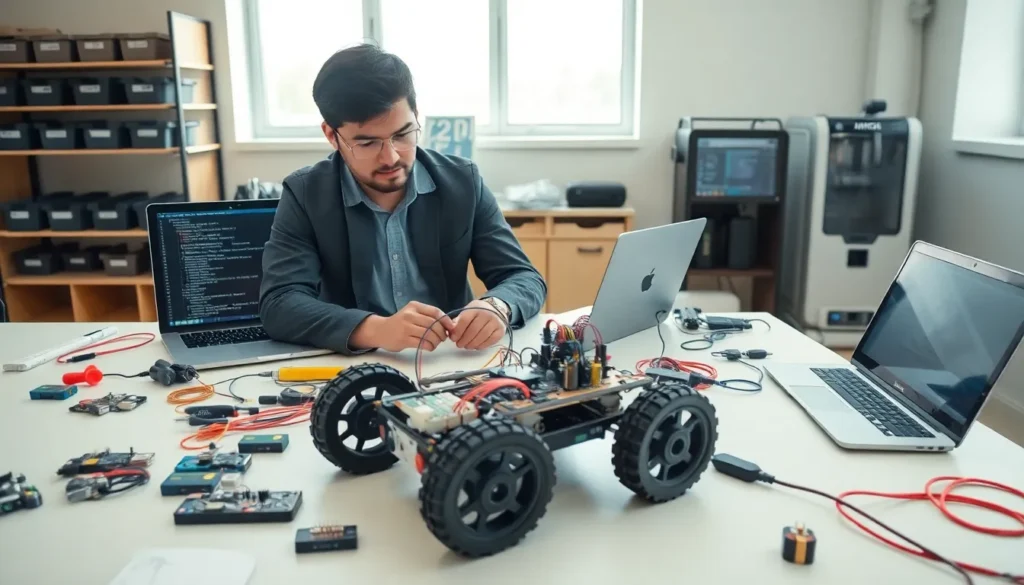

Robotics tips can make the difference between a project that works and one that sits unfinished on a workbench. Whether someone is building their first line-following bot or designing a complex autonomous system, the right guidance saves time, money, and frustration.
The robotics field has grown more accessible than ever. Affordable platforms, open-source software, and online communities have lowered barriers for hobbyists and professionals alike. But accessibility doesn’t mean simplicity. Every robotics project involves hardware, software, electronics, and mechanical design, all working together.
This guide covers practical robotics tips that address common challenges. From choosing the right platform to managing power effectively, these insights help builders avoid pitfalls and accelerate their learning. The goal isn’t perfection on the first try. It’s building skills through smart decisions and continuous improvement.
Table of Contents
ToggleKey Takeaways
- Choose the right robotics platform based on your project goals, budget, and experience level—Arduino suits beginners, while Raspberry Pi and ROS handle advanced tasks.
- Master programming fundamentals like variables, loops, and debugging before tackling complex robotics projects.
- Calibrate sensors regularly to ensure accurate readings and prevent compounding errors in autonomous systems.
- Separate motor power from logic circuits to avoid electrical noise that causes resets and sensor errors.
- Embrace iteration and rapid prototyping—version two is always better than version one.
- Join robotics communities on Reddit, YouTube, and local makerspaces to accelerate learning and solve problems faster.
Start With the Right Robotics Platform
Choosing the correct platform is one of the most important robotics tips anyone can follow. The platform defines the foundation, what’s possible, what’s limited, and how steep the learning curve will be.
For beginners, Arduino remains a popular choice. It offers straightforward programming, extensive documentation, and a massive community. Projects using Arduino benefit from thousands of tutorials and pre-built libraries. The hardware is inexpensive, so mistakes don’t expensive.
Raspberry Pi serves builders who need more processing power. It runs a full Linux operating system, making it suitable for computer vision, machine learning, and internet-connected robots. But, it requires more electrical knowledge since it operates at 3.3V logic levels instead of Arduino’s 5V.
ROS (Robot Operating System) platforms suit intermediate and advanced users. ROS provides tools for simulation, sensor fusion, and motion planning. Many commercial and research robots use ROS, making these skills transferable to professional settings.
Matching Platform to Project Goals
The best platform depends on the project. A simple obstacle-avoiding robot doesn’t need a Raspberry Pi 5. An autonomous drone with real-time image processing won’t run well on an Arduino Uno.
Ask these questions before purchasing:
- What sensors and actuators does the project require?
- Does it need wireless communication?
- What’s the budget for hardware?
- How much programming experience does the builder have?
These robotics tips about platform selection prevent wasted effort. Starting with the wrong hardware often means starting over entirely.
Master the Fundamentals of Programming
Robots don’t move without code. Programming skills separate functional robots from expensive paperweights.
C and C++ dominate embedded robotics programming. Arduino uses a simplified version of C++. Understanding variables, loops, conditionals, and functions provides the foundation for any robotics project. These concepts transfer across languages and platforms.
Python has become essential for higher-level robotics work. ROS uses Python extensively. Computer vision libraries like OpenCV have Python bindings. Machine learning frameworks run primarily in Python. Many robotics tips emphasize learning Python early because of its versatility.
Start Small and Build Up
New programmers should begin with simple programs:
- Blink an LED
- Read a button input
- Control a motor speed
- Read sensor data
- Combine inputs and outputs
Each step builds on the previous one. By the time someone reaches step five, they’ve learned the core concepts needed for most robotics projects.
Debug Systematically
Bugs happen. Good programmers develop debugging habits:
- Use serial print statements to track program flow
- Test components individually before combining them
- Comment code clearly for future reference
- Keep working versions saved before making changes
These robotics tips about programming might seem basic. But most failed projects fail because of software issues, not hardware problems. Solid programming fundamentals prevent hours of frustration.
Focus on Sensor Integration and Calibration
Sensors give robots the ability to perceive their environment. Without proper integration, even expensive sensors produce useless data.
Common robotics sensors include ultrasonic distance sensors, infrared proximity sensors, accelerometers, gyroscopes, encoders, and cameras. Each type has specific requirements for voltage, communication protocol, and mounting.
Understanding Sensor Communication
Most sensors communicate through one of these methods:
- Analog signals: Voltage varies with measurement (simple but susceptible to noise)
- Digital signals: On/off states or pulse-width modulation
- I2C: Two-wire serial communication, allows multiple devices
- SPI: Faster serial communication, requires more pins
- UART: Serial communication for GPS modules and certain sensors
Knowing which protocol a sensor uses determines how to wire and program it. This is among the most practical robotics tips for hardware work.
Calibration Matters
Sensors drift. Manufacturing tolerances mean no two sensors are identical. Temperature, humidity, and age affect readings.
Calibration involves:
- Recording sensor output at known reference points
- Calculating offset and scaling factors
- Applying corrections in software
- Repeating calibration periodically
An uncalibrated IMU (inertial measurement unit) might report the robot is tilted when it’s perfectly level. An uncalibrated distance sensor could report obstacles that don’t exist. These errors compound quickly in autonomous systems.
Robotics tips about sensors always include this advice: trust but verify. Check sensor readings against physical reality regularly.
Build a Reliable Power Management System
Power problems kill robotics projects. Motors stall, processors reset, and sensors give false readings when power isn’t handled correctly.
Different components need different voltages. A typical robot might need 12V for motors, 5V for Arduino, and 3.3V for certain sensors. Running everything from one battery requires voltage regulators and careful planning.
Separate Power for Motors
Motors cause electrical noise. They draw large currents during startup and stall conditions. This noise can reset microcontrollers or corrupt sensor readings.
Best practice: use separate power supplies or at minimum, separate voltage regulators for logic and motor circuits. Decoupling capacitors on power rails reduce noise further. These robotics tips about power separation solve mysterious reset problems that plague many builds.
Battery Selection
Battery chemistry affects project success:
| Battery Type | Pros | Cons |
|---|---|---|
| NiMH | Safe, rechargeable | Heavy, lower energy density |
| LiPo | Light, high capacity | Requires careful handling, can catch fire |
| 18650 Li-ion | Readily available, good capacity | Needs protection circuits |
| Alkaline | Easy to find | Not rechargeable, voltage drops over time |
LiPo batteries power most hobby drones and robots. They require balance chargers and low-voltage cutoff protection. Never discharge below 3.0V per cell.
Monitor Power Levels
Battery voltage indicates remaining capacity. Simple voltage divider circuits let microcontrollers monitor battery levels. Robots can signal low battery or shut down safely instead of dying mid-operation. These robotics tips prevent damage from deep discharge and unexpected failures.
Learn From Mistakes and Iterate Often
Every robotics builder fails. Motors burn out. Code crashes. Mechanical parts break. The difference between hobbyists who quit and those who succeed is how they respond to failure.
Documentation helps. Keep notes about what worked, what didn’t, and why. Photograph builds before disassembly. Save code versions with dates and descriptions. When something breaks three months later, these records prove invaluable.
Embrace Rapid Prototyping
Don’t aim for perfection on the first build. Quick prototypes test ideas faster than detailed planning. 3D printing, laser cutting, and cardboard mockups let builders validate concepts before committing to expensive materials.
Robotics tips from experienced builders almost always mention iteration. Version two is always better than version one. Version five might actually work well.
Join the Community
Robotics communities accelerate learning:
- Reddit’s r/robotics and r/arduino forums answer questions quickly
- YouTube channels demonstrate techniques that text can’t convey
- Local makerspaces provide tools and mentorship
- Competitions like FIRST Robotics and RoboCup push skills further
Other builders have solved the exact problem that seems impossible today. Asking for help isn’t weakness, it’s efficiency.
Set Realistic Timelines
Robotics projects take longer than expected. Parts ship slowly. Debugging consumes weekends. Features that seem simple require research.
Break large projects into milestones. Celebrate small victories. A robot that drives forward successfully is progress, even if it can’t navigate autonomously yet. These robotics tips about mindset keep motivation high when projects get difficult.


